The office network grew the way most do: a router from the internet provider, a switch somebody bought, a wireless password on the whiteboard, and every device from the payment terminal to the visitor’s phone on the same network. It works, until it does not. Here is why one flat network is a risk, and how VLANs and a proper guest Wi-Fi arrangement fix it without buying an enterprise data centre.
What a flat network exposes
On a single flat network every device can talk to every other device. A visitor’s laptop can see the file server, a cheap security camera with a default password can reach the accounting workstation, and a compromised smart TV in the lunchroom is one hop from the payment terminal. Ransomware moves sideways precisely this way: it lands on the least protected device and spreads to the ones that matter. Segmentation, splitting one network into several isolated ones, is the standard defence, and it is straightforward on business-grade equipment.
What a VLAN actually is
A virtual local area network, or VLAN, is a way of running several separate networks over the same physical switches and cables. Each VLAN is given a number, and the switch tags traffic with that number so that devices in one VLAN cannot see devices in another unless a router or firewall deliberately allows it. To the devices, each VLAN looks like its own network with its own address range. To the building, nothing changes: the same cabling, access points and switch. Our network setup and infrastructure work uses this on almost every small business project.
A typical separation for a small business
Most small offices land on four or five VLANs. Staff computers and printers sit on one. Guest devices sit on another that reaches only the internet. Cameras, door controllers, intercoms, thermostats and other connected equipment sit on a third, because those devices are rarely patched and should never be able to reach a workstation. Payment terminals and anything handling card data sit on their own, which is what the payment card industry’s security standard expects. Phones and meeting room equipment often get a further VLAN so voice traffic can be prioritised.
Guest Wi-Fi done properly
The wireless network can broadcast several names, and each name is mapped to a VLAN. Staff connect to one that lands them on the staff VLAN; visitors connect to a guest name that lands them on the guest VLAN. That guest network needs three things: it must reach only the internet, its clients must be isolated from one another so a visitor cannot browse another visitor’s laptop, and it should have a bandwidth limit so a lunchtime video stream does not slow the office. A captive portal with terms of use, or a simple daily password, is a matter of preference. Our business Wi-Fi setup projects treat guest access as a separate network, not a second password.
What a managed switch adds
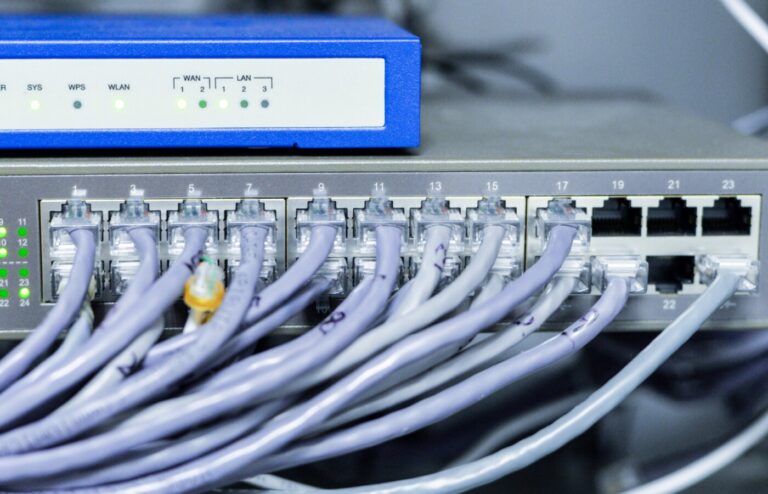
The unmanaged switch from the office supply store passes traffic and nothing more. A managed switch understands VLAN tags, lets each port be assigned to a VLAN, and can carry several VLANs on the single uplink to an access point or another switch. It also brings supervision: which port a device is on, how much traffic it is passing, whether a link is failing, and the ability to shut down a port where an unknown device has appeared. Power over Ethernet models power the cameras and access points at the same time. For a small business, one managed PoE switch usually replaces the tangle of unmanaged ones.
Firewall rules in plain language
The firewall or router is where the VLANs meet, and it enforces the rules between them. Written plainly, a sensible starting set reads like this. Guests reach the internet and nothing else. Cameras and door controllers reach their recorder and their management server, and nothing else; the recorder may be reached from the staff network. Staff reach the internet, the servers and the printers, but not the payment devices. Payment devices reach their processor over the internet and nothing inside. Everything can be logged, and any exception is written down with a reason.
Putting it in words means the business owner can read the rules and agree with them, and the next technician can see what was intended. A segmented network is not harder to use; staff still print, cameras still record, and guests still get online. It is simply harder for a problem on one device to become a problem everywhere, which is the outcome described on our small and medium business solutions page.
Common questions
Do I need VLANs if my business is small?
If the business has guests using its Wi-Fi, takes card payments, or has cameras and other connected devices, yes. The risk does not scale with headcount; a five-person clinic with a payment terminal and a security camera on the same network as the reception computer carries the same exposure as a much larger one. The cost is a managed switch and a few hours of configuration, one of the highest-value changes a small network can make.
Can guests on the guest Wi-Fi see our computers?
Not when the guest network is on its own VLAN with a rule that allows only internet access, and client isolation is switched on so guests cannot see one another either. On a flat network with a shared password, they can, and so can any malware on their device. Moving guests to an isolated network is usually the first change made when a small business network is tidied up.
Will separating cameras onto their own VLAN stop us viewing them?
No. The cameras and the recorder live on the camera VLAN, and a firewall rule allows the staff network, or specific staff computers, to reach the recorder. Staff view footage exactly as before. What changes is that the cameras themselves cannot start conversations with staff computers, so a camera with a weak password or an old firmware bug is contained rather than a doorway.
Does the payment terminal really need its own network?
The payment card industry’s standard expects card handling systems to be separated from the rest of the network, and doing so also narrows what has to be protected and reviewed. Placing terminals on their own VLAN with a rule that allows only their processor’s addresses is straightforward on a managed switch and firewall. Ask your payment provider what they require and design the segment to match.
If your network is still one flat segment, we can plan the VLANs, guest Wi-Fi and firewall rules around how your business actually works and put them in place with little disruption. See our network setup and infrastructure services, or get in touch and describe the office.