Three quotes for cameras on the same building have come back far apart, and none of them explains why. The gap is rarely the cameras themselves. Commercial security camera installation cost is driven by decisions about coverage, cabling, recording, licensing and access that each contractor has made differently, sometimes without telling you. Understanding those drivers lets you compare the quotes and, more usefully, shape the scope before the next round.
Camera count and camera type
The number of cameras follows from the coverage you ask for, and coverage is where most of the difference between quotes begins. A proposal that identifies faces at every entrance, reads plates at the gate and gives an overview of the parking area needs more cameras, and more capable ones, than a proposal that offers a general view of the property. Camera type layers on top: a fixed dome in a corridor is inexpensive and quick to mount; a pan-tilt-zoom unit on a pole, a multi-sensor panoramic camera, a plate reading camera or a thermal unit each cost more and take longer to commission. Before comparing prices, compare the coverage drawing and ask each contractor which views achieve identification rather than mere detection.
Cabling distance and building construction
Every camera needs a cable back to a switch or recorder, and labour to run those cables is usually the largest single line in the project. Distance matters, but construction matters more. A drop ceiling with clear pathway is fast. Concrete slabs, block walls, plaster in an older building, long exterior runs in conduit, and crossings between buildings all add hours, sometimes with a second trade for coring or trenching. Where a run exceeds the copper distance limit, a fibre link and a satellite switch are added. A camera on the far side of a warehouse can cost several times what an identical camera beside the telecom room costs, purely in cable and pathway. Our commercial CCTV and surveillance designs are always walked on site before pricing for exactly this reason.
Recorder, storage and licensing
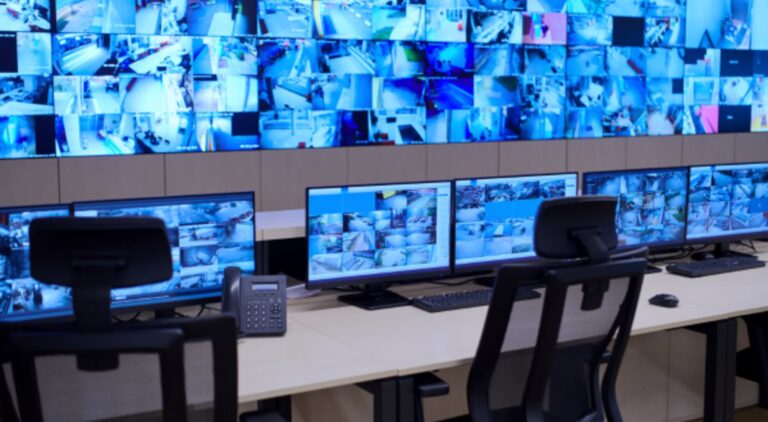
The recording side scales with camera count, resolution and how many days of footage must be retained. A small recorder for a handful of cameras is a modest item; a system holding a month of high-resolution footage from dozens of cameras needs a larger unit or a server with surveillance-grade drives in a protected array. Add the workstation for a security desk, the switch to power the cameras, and an uninterruptible power supply, and the head end becomes a meaningful part of the total. Where the client already has suitable switching or a server room, this line falls; where the telecom room needs a cabinet and cooling, it rises.
The pricing model of the software is a quiet driver that shows up years later. An on-premise recorder is typically bought once, sometimes with per-camera licences and an optional support subscription. A cloud managed system shifts cost into an annual per-camera fee that covers storage, software updates and remote access, and it usually needs less hardware on site and more internet bandwidth. Neither is right for every building; the point when comparing quotes is to look at the total over the expected life of the system rather than the installation figure alone, and the honest contractor will show both. Our standalone camera and NVR systems page describes the on-premise model in more detail.
Lifts, exterior work and integration
Cameras mounted high on a warehouse wall, on a parking lot pole or on a building facade need lift equipment, sometimes a traffic plan, and sometimes weather windows. Exterior work also brings weatherproof housings, heaters for winter, surge protection on long outdoor runs, and pole or bracket fabrication. Integration is the other variable that hides in a low quote: tying the cameras to the access control so a door event pulls up video, connecting to an alarm panel for verified alarms, or feeding a property management platform all take engineering time and sometimes additional licences. Ask whether each quote includes them.
Ongoing costs and how to get comparable quotes
After installation, the system still costs something to keep useful: software updates and cyber hygiene on the recorder, occasional camera cleaning and re-aiming, drive replacement as storage ages, and any subscription. A maintenance agreement is worth pricing alongside the install so the comparison is complete.
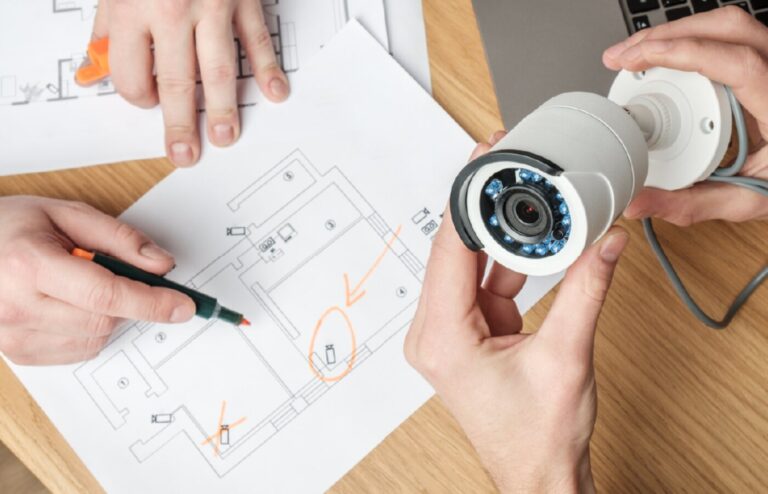
To get quotes that can be compared, give every bidder the same brief: a marked floor plan with camera locations and what each view must achieve, the retention period, whether cloud or on-premise is preferred, what integration is expected, and who supplies the network. Ask for the cabling method, the recorder specification, licence terms and warranty in writing. When the scope is fixed, the differences that remain are the ones worth discussing.
Common questions
Why do camera installation quotes vary so much for the same building?
Because the bidders have made different assumptions about coverage, camera type, cabling routes, recording capacity, licensing and integration, and those assumptions are rarely spelled out. One quote may identify faces at each door while another gives an overview; one may include lifts and exterior conduit while another leaves them for a change order. Fix the scope in writing and re-quote; most of the spread disappears.
Is a cloud camera system cheaper than an on-premise recorder?
Sometimes over the first year and not always over the life of the system. Cloud shifts cost from hardware and installation into a recurring per-camera fee, and it needs more internet bandwidth. On-premise carries a larger initial outlay and smaller ongoing costs. Which is less expensive depends on camera count, retention and how long you keep the system. Ask each bidder for a total over the expected life, not the install price alone.
What is usually the biggest cost in a camera installation?
Labour, and within labour, cabling. Running cable through a finished building, across a warehouse or between structures takes far more time than mounting the camera itself, and the construction of the building decides how long. Camera hardware, the recorder and licences follow. That is why two buildings with the same camera count can differ substantially, and why a site walk before pricing matters.
How can we reduce the cost without weakening coverage?
Fix the coverage brief first, then let the design serve it. Cluster cameras near existing network points, use multi-sensor units where several views converge, choose fixed lenses for predictable scenes, and reuse suitable switching and cabinets. Set retention to what the business needs rather than a default. Combine the work with other cabling or a fit-out to share pathway and lift costs.
If you would like a proposal built on a proper site walk and a scope you can hand to other bidders, we are glad to provide one. See our commercial CCTV and surveillance services, or get in touch and tell us about the building.