The office is moving, or the old card readers are finally being replaced, and the question comes up: should staff still carry a card, or should the phone in their pocket open the door? Both work. The right answer depends on how the office is actually used, who comes and goes, and how much the people responsible for onboarding and offboarding want to keep touching plastic.
What each credential actually is
A key card or fob is a small radio transponder. Held near a reader, it returns an identifier that the door controller checks against a list of who is allowed through, at what time. Older cards simply broadcast that number and are easy to clone; modern encrypted cards exchange keys with the reader and are far harder to copy. A PIN pad replaces the object with a code, which is cheap and convenient and, on its own, is the weakest of the three because codes are shared and shoulder-surfed.
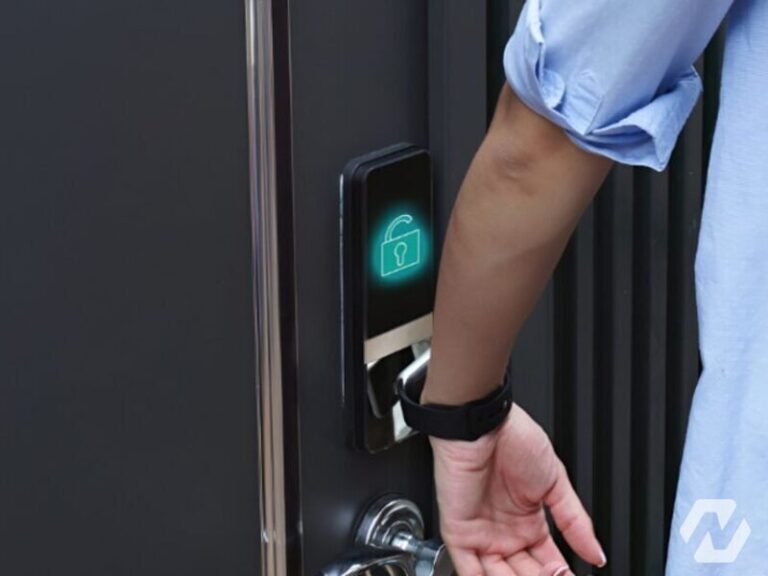
A mobile credential turns the phone into the card. The credential is issued to a person through an app or a phone wallet, and the reader talks to it over Bluetooth Low Energy or NFC, the same short-range technology used for tap payments. Bluetooth allows a longer read range, so a door can release as someone approaches with the phone still in a pocket, while NFC requires a tap. Because the credential is tied to the phone’s own security, it inherits the phone’s lock screen and biometrics.
Where mobile credentials win
The strongest argument is administration. Issuing a card means keeping stock, printing or encoding, and physically handing it over. Issuing a mobile credential means sending an invitation, and the credential is active as soon as the person accepts it, whether they are at their desk or working from another city. Revoking is the same in reverse: an employee who leaves is removed in the system and the phone stops working at the door immediately, with nothing to chase or collect. Staff also forget cards far more often than they forget phones, so the queue at reception for temporary passes shrinks.
Mobile credentials also make hybrid schedules and multi-tenant floors easier, because one phone can carry credentials for several buildings, and the property manager and the tenant can each manage their own doors from the same reader. Our door access control systems are increasingly specified with readers that accept both from day one.
Where cards still make sense
Not everyone has a phone at work, wants a work app on a personal device, or is allowed to carry one into the space. Cleaning and security contractors, temporary staff, visitors and delivery drivers all need to get through doors without being enrolled in an app. Cards work for people whose phone battery has died, and they can double as photo identification, which many offices still want visible on a lanyard.
Cards are also indifferent to phone models, operating system updates and app permissions. A well-run card system is predictable in a way that a fleet of personal devices is not, and for a small office with low turnover the administrative saving from mobile may be modest.
Reader choice and the practical details
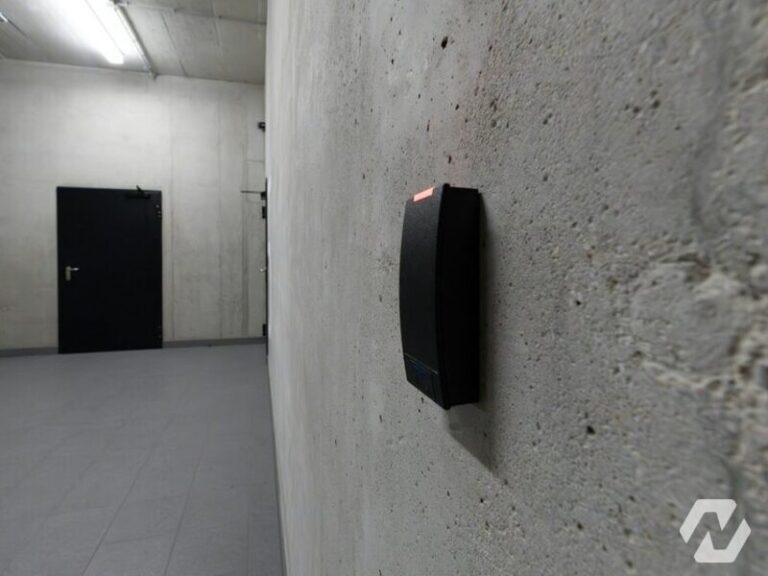
The reader on the wall decides which credentials the door will ever accept, so it is worth choosing multi-technology readers that handle encrypted cards, Bluetooth and NFC together, even if only one is used at first. That keeps the choice open for the life of the hardware. Readers with a keypad add a PIN as a second factor for sensitive rooms, so that a lost card alone does not open the server room. Whatever the credential, the reader should sit on a supervised controller inside the secure side of the wall, so that tampering with the reader does not release the lock.
When a phone dies
It happens, and the answer should be decided in advance rather than at the door. Common approaches are a small stock of temporary cards at reception that expire automatically at the end of the day, a PIN as a fallback on selected doors, or a colleague-assisted entry that is logged. What should never happen is a door propped open because the fallback was never planned.
Visitors and offboarding
Visitors are best handled with time-limited credentials: a temporary card, a mobile invitation valid for one afternoon, or a code issued by the visitor management system that stops working when the meeting ends. Offboarding should be a single step in the access system, ideally triggered from the HR or directory system, so nobody relies on remembering to ask for the card back. In a corporate setting, this is where mobile credentials pay for themselves, a point we make on our corporate office solutions page.
Common questions
Are mobile credentials more secure than key cards?
Generally, yes, when compared with older unencrypted cards, because the credential is protected by the phone’s own lock and by encryption between phone and reader, and because it can be revoked instantly. Modern encrypted cards are also strong. The weakest link in most offices is not the credential technology but process: shared cards, unrevoked leavers and propped doors. Fix those first, then choose the credential.
What happens if someone’s phone battery dies?
They need a fallback, and it should be planned before the system goes live. Options include a temporary card issued at reception that expires automatically, a PIN on selected doors, or entry logged by a colleague. Some phones keep NFC credentials working briefly after the battery appears empty, but that should not be relied on. A hybrid system that keeps a few cards in circulation covers this neatly.
Can we run cards and mobile credentials at the same time?
Yes, and most offices should. Multi-technology readers accept encrypted cards, fobs, Bluetooth and NFC credentials on the same door, and the access control software treats them all as credentials belonging to a person. That allows a gradual move, keeps cards available for contractors and visitors, and means the decision is never all-or-nothing. It also protects the reader investment if preferences change later.
Do mobile credentials need an internet connection at the door?
The phone does not need a connection to open the door; the reader and phone talk directly over Bluetooth or NFC. A connection is used to receive the credential in the first place and to receive updates or revocations. The door controller itself keeps its permitted list locally, so an outage of the building internet does not stop authorised people getting in, exactly as with cards.
If you are weighing up credentials for a new or replacement system, we can help you settle the reader choice, the fallback plan and the onboarding process together. See how we design office access control, or get in touch and tell us how many doors and people are involved.